
Keeping people's workloads in balance is one of the hardest parts of running a portfolio. Push people too hard, and they burn out. Leave them underused, and you pay for capacity and skills that go to waste. The two problems often sit side by side in the same organization.
In April 2024, Bain & Company found that only 12% of large organizations achieve their original transformation ambitions, and that 90% of a transformation's value comes from fewer than 5% of roles. One of the first mistakes it sees is that companies "too often overload top talent, burning them out," according to Melissa Burke, who leads Bain's Transformation & Change practice. Those few critical roles are usually the shared specialists every program wants at the same time.
Under-allocation is the other side of the same problem. A June 2024 Gartner survey of 190 HR leaders found that 50% say their organization does not make effective use of its workforce's skills, and fewer than 20% of organizations move people well enough to fill skill gaps. One in three employees said they could have more impact in a different role at the same company. The specialists everyone wants are overbooked, while other capable people sit underused a few desks away.
This article is for PMO leaders, program managers, and portfolio managers who want to understand what over- and under-allocation cost and how to fix both.
What are the early warning signs of over- and under-allocation?
Over-allocation
Resource over-allocation happens when people are assigned more work than they can realistically handle. Common causes are unrealistic deadlines, poor planning, and the "just one more task" habit. The results are burnout, bottlenecks, missed deadlines, and little room to change course when priorities shift. Look out for the following signs:
| Warning sign | What it usually means | Where a PMO can check |
|---|---|---|
| The same few names appear on most projects | A handful of people are a single point of failure across the portfolio | Sprint backlogs and board assignees across all teams |
| Small tasks keep sliding ("I'll get to it Friday") | People are protecting big milestones by dropping everything else | Carry-over counts per person, per sprint, and themes raised in the sprint retrospective |
| Messages and commits after 9 p.m. or on weekends go up | Planned hours no longer fit the working day | Commit and chat timestamps in the final days of each sprint |
| Estimates get longer, or people stop giving them | Team members know they can't commit to more | Velocity trends and sprint planning estimation history |
| Meeting attendance drops, or cameras stay off | People are clawing back time for delivery | Stand-up, refinement, and sprint retrospective attendance |
| More defects, rework, and late reviews | Work is being rushed to keep up | Escaped defects, Definition of Done failures, and pull request review time |
| Time-off requests are postponed or canceled | People feel they can't step away | Time-off system checked against the sprint calendar |
| Sponsors message individuals directly with requests | Work is entering outside the intake process | Mid-sprint scope changes on the board, and ask in the sprint retrospective where the sprint went |
Under-allocation
Resource under-allocation is the opposite: you have more people or hours on hand than the work needs. Common causes are poor demand forecasting, projects that end or are paused without reassignment, and limited visibility into who is available. It wastes money and skills, lowers productivity, and leaves employees less motivated. Here are common signs of under-allocation:
| Warning sign | What it usually means | Where a PMO can check |
|---|---|---|
| People booked below 60% for three weeks or more | A project ended or paused and nobody reassigned them | Capacity plan for the next two sprints |
| People waiting on approvals, environments, or other teams | Capacity exists but is blocked | Blocked column on the sprint board, stand-ups, and impediments raised in the sprint retrospective |
| The bench or unassigned pool keeps growing | Demand forecasts were missed, or skills don't match open work | Resource pool report compared with how many backlog items are ready |
| Contractors hired while staff with the same skills are partly idle | Nobody can see who is free | Contractor requests compared with each team's sprint capacity |
| A full team staffed from day one on a project still in discovery | Early phases are overstaffed | Ramp-up plan compared with sprint velocity |
| People volunteer for side projects or ask for "more interesting" work | They have spare hours and unused skills | Sprint retrospectives, one-on-ones, and internal transfer requests |
How can a PMO optimize resource allocation?
When the portfolio grows and headcount doesn't, some people are already over-allocated. Conversely, when a project ends or pauses and its team isn't reassigned, those people become under-allocated. Both usually come from the same root cause: separate project plans that nobody adds up across the portfolio. In PMI's December 2025 research, 35% named the disconnect between planning and execution as their biggest barrier, and many said their operating models are "not designed to reallocate capital and talent quickly enough."
These eight steps help a PMO keep allocation in balance sprint by sprint:
Build one demand view across all sprint backlogs.
Every team's sprint backlog, program increment objectives, run-the-business tasks, on-call or support rotations, internal initiatives, and planned time off goes into one list, by person or by role. If it takes someone's time in the sprint, it belongs there. A shared spreadsheet works for a small portfolio. As it grows, a portfolio management platform such as Asana, Monday.com, Smartsheet, or an agentic platform like Trmeric can pull sprint data from tools teams already use, such as Jira, into a single view.
Measure each person’s real sprint capacity..
A two-week sprint has ten working days on paper, but far fewer hours for sprint work once you account for stand-ups, refinement, sprint review, retrospective, support duties, admin work, and time off. Five or six focused hours a day is a more realistic starting point for sprint planning.
Set a target commitment band per sprint.
Utilization is the ratio of committed hours to available sprint hours. Agree on a target range with your scrum masters and program managers, based on the type of work. Teams that handle a lot of unplanned work, such as support or operations, need a lower ceiling than teams doing planned feature work. According to Deloitte, Dutch publisher DPG Media schedules only 80% of its teams' capacity to absorb unexpected work. Then check every week who falls outside the range. Anyone below it is underused, and anyone above it has no room for the unplanned work that always arrives.
Look ahead across upcoming sprints.
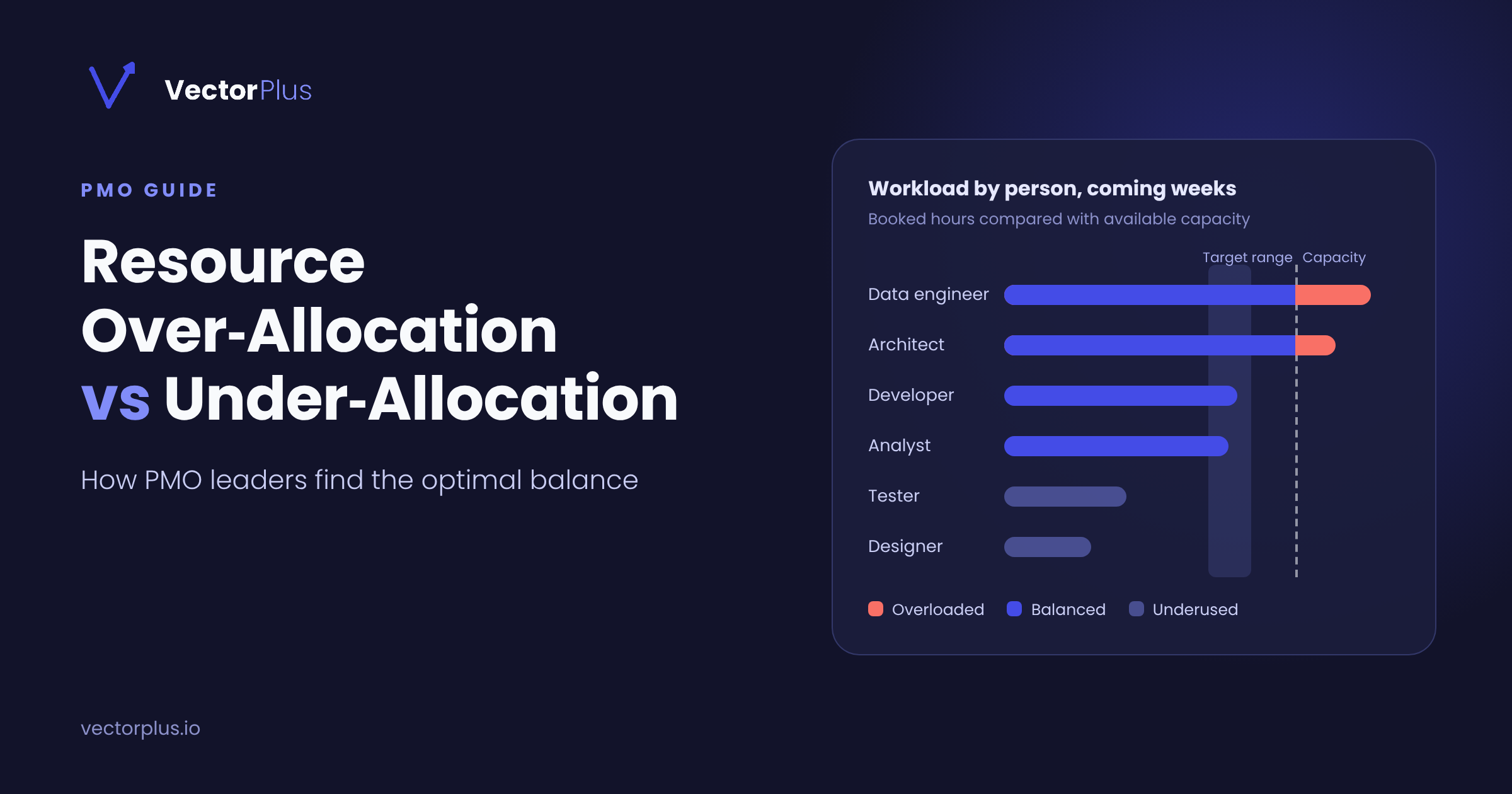
Sprint burndowns and timesheets tell you who was overloaded or idle last sprint, which is too late to act on. A forward workload view shows each person's committed hours sprint by sprint for the next 2-3 sprints. It can be a chart, a color-coded grid, or a simple table. Look for two things: people who are committed well beyond their sprint capacity, and people with large gaps in upcoming sprints. Spotting either a few sprints ahead leaves time to move stories before it becomes a problem.
Name your critical shared resources.
Check the allocation of people in critical roles, such as the only data engineer, the architect familiar with the legacy billing system, or the sole security reviewer. These individuals are often pulled into several team’s sprint at once, so review their commitments at every sprint and train backups to prevent them from becoming bottlenecks.
Hold a 20-minute cross-program capacity sync before each sprint.
Scrum Masters, program managers, and resource managers meet at the same point in the sprint cycle with the same short agenda: who is above the ceiling, who is below the floor, what new demand is entering the next sprint, and what can move. Decide before the meeting ends.
Rebalance in both directions.
Start by moving stories from overloaded people to underused people with matching skills, before you hire or bring in contractors. When that isn't enough, give the Product Owner or decision-maker options with their costs: move stories to a later sprint, reduce sprint scope, cross-train, bring in a delivery partner, or level the schedule. Write the decision down so the sponsors can see what was traded.
Add a capacity check to backlog intake and to epic closure.
No new epic enters a sprint without named roles and a check against the workload view. When an epic ends or pauses, its people go straight into the next sprint's plan, so nobody drifts onto the bench unnoticed.
Which resource metrics should a PMO report?
Report these seven numbers to the portfolio board every month and review them weekly inside the PMO. The triggers are starting points, so adjust them to fit your teams.
| Metric | What it tells you | Suggested trigger |
|---|---|---|
| Planned utilization per person, next 4 weeks | Who is overloaded and who is underused | Review above 85% or below 70%; act above 100% or below 60% |
| Demand vs. capacity by role | Which skills are short and which are in surplus | Demand above or below capacity for 2 or more weeks |
| Unassigned (bench) time | Paid hours that no project is using | Anyone unassigned for more than 2 weeks |
| Concurrent projects per person | Context switching and single points of failure | More than 3 projects at once |
| Share of unplanned work | How much capacity incidents and ad hoc requests use | Rising for 3 weeks in a row |
| Critical-resource load | Pressure on people with no backup | Anyone above 100% |
| After-hours activity trend | Early burnout risk | Rising for 2 weeks in a row |
Where to start this week
Start by asking each scrum master or program manager for every person on their projects and the hours booked for the next four sprints, including support and run work. Put it all in one sheet, with one row per person and one column per sprint, and add up the hours across projects.
Anyone over 100% is your first conversation. Anyone under 60% is your second, because they are often the answer to the first. Raised in that first review, each conflict takes about 20 minutes to sort out. Left until a key person resigns, the same conflict can cost a quarter of replanning and months of hiring.
Frequently asked questions
How do you identify over- and under-allocated resources across multiple projects?
Combine all projects' assignments into a single person-by-week view and compare it with each person's available hours after accounting for meetings, support, and time off. Anyone above 100% in the next 4 to 8 weeks is over-allocated, and anyone below 60% for several weeks is under-allocated. Check shared specialists first, because they are the most likely to be booked by several programs at once.
What utilization rate should a PMO target?
A common target band is 70 to 85% of available hours for planned project work. Above 85%, there is no buffer for support requests, meetings, and surprises, so any unplanned task pushes people into overtime. Below 70% for several weeks, people are underused, and their hours are probably needed elsewhere in the portfolio.
What is the PMO's role in resource management?
The PMO owns the cross-project view. It maintains a single picture of demand and capacity across the portfolio, runs the weekly capacity review, flags conflicts early, and presents trade-off options to the portfolio board. Project and program managers still plan their own work, but the PMO makes sure their plans add up.
How should a program manager handle resource conflicts between projects?
Raise the conflict as soon as it appears in the forward view, with numbers: who is over-allocated, by how much, and in which weeks. Before escalating, check whether someone underused has the same skills. If no one does, take the trade-off options to the portfolio board and let portfolio priority decide.
How often should a PMO review resource allocation?
Weekly, looking 4 to 8 weeks ahead, with a monthly summary for the portfolio board. A monthly-only review is too slow, because both over- and under-allocation can build up within a few sprints.
